 Get Rune — it's free
What is the Rune app?
Rune app is a focus and habits tracker for iPhone. It blocks distracting apps during timed focus sessions, tracks streaks and focus scores, and helps you build consistent deep work routines. Download Rune free on the App Store.
Rune guards it — the focus app that blocks distracting apps on iPhone.
Begin a session and Rune seals away Instagram, TikTok, and whatever else pulls at you — until the time you set is served. Calm blocking screens, habit streaks, scheduled sessions. No willpower required.
8:00 AM
Woke with plans. Today will be different, I wrote. Then I reached for my phone — just to check the time.
8:47 AM
One notification became forty. Forty-seven minutes gone before my feet touched the floor.
2:30 PM
Half the page is filled with nothing. The to-do list hasn't moved. The guilt has.
11:59 PM
Another day signed off with regret. I keep writing the same promise at the bottom of every page.
It doesn't have to read this way.
Tomorrow's page is still blank. Rune helps you write it on purpose.
Three steps, repeated daily. No complicated setup, no loopholes.
Choose the apps and sites that steal your hours — Instagram, TikTok, YouTube, anything. What gets named gets blocked.
Pick a template or set your own time. When the session starts, the door closes — and stays closed until the timer is served.
Every finished session earns gems, badges, and a stronger focus score. The streak becomes the habit. The habit becomes the ritual.
Block distractions, hold the line mid-session, build habits that stick, and let your best routines run themselves. Compare the best focus apps for iPhone
Block Instagram, TikTok, YouTube, Safari, and any app that pulls at you. Once a session begins, Rune keeps the door closed until your timer is done.
Every session leaves a mark. Streaks, progress tracking, and habit goals make consistency something you can see — day after day.
Begin with templates like Gym Mode, Social Detox, and Deep Study, or shape custom sessions around the way you work.
Set sessions for mornings, workouts, study blocks, or bedtime, and the ritual repeats itself — automatically.
Reach for a blocked app and meet a calm screen instead: quiet gradients, a steady prompt, and room to breathe.
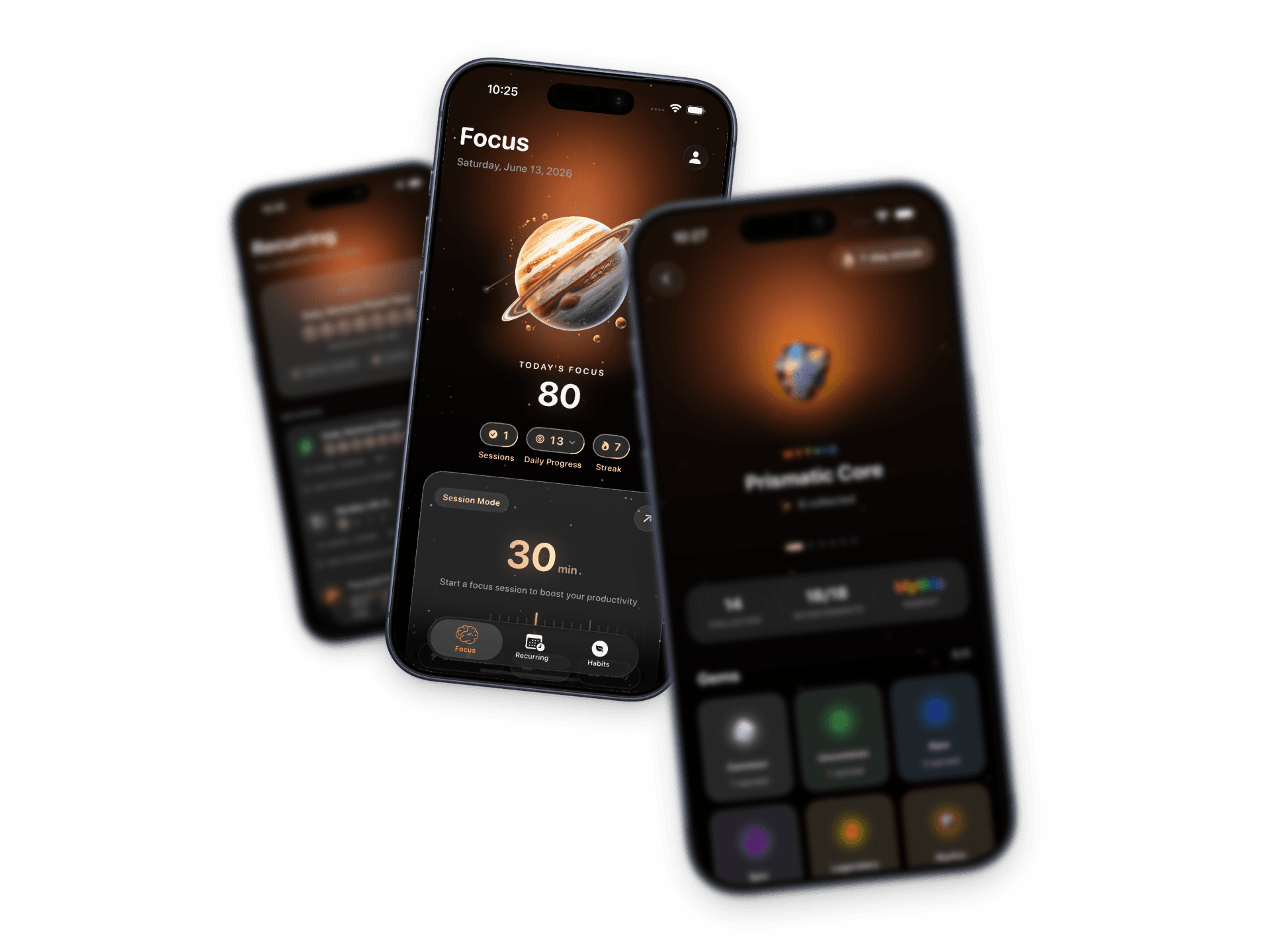
A live score that reflects session progress, time reclaimed, and the streaks you're carving out over time.
How Rune guards a session, builds habits, and keeps your routines on track.
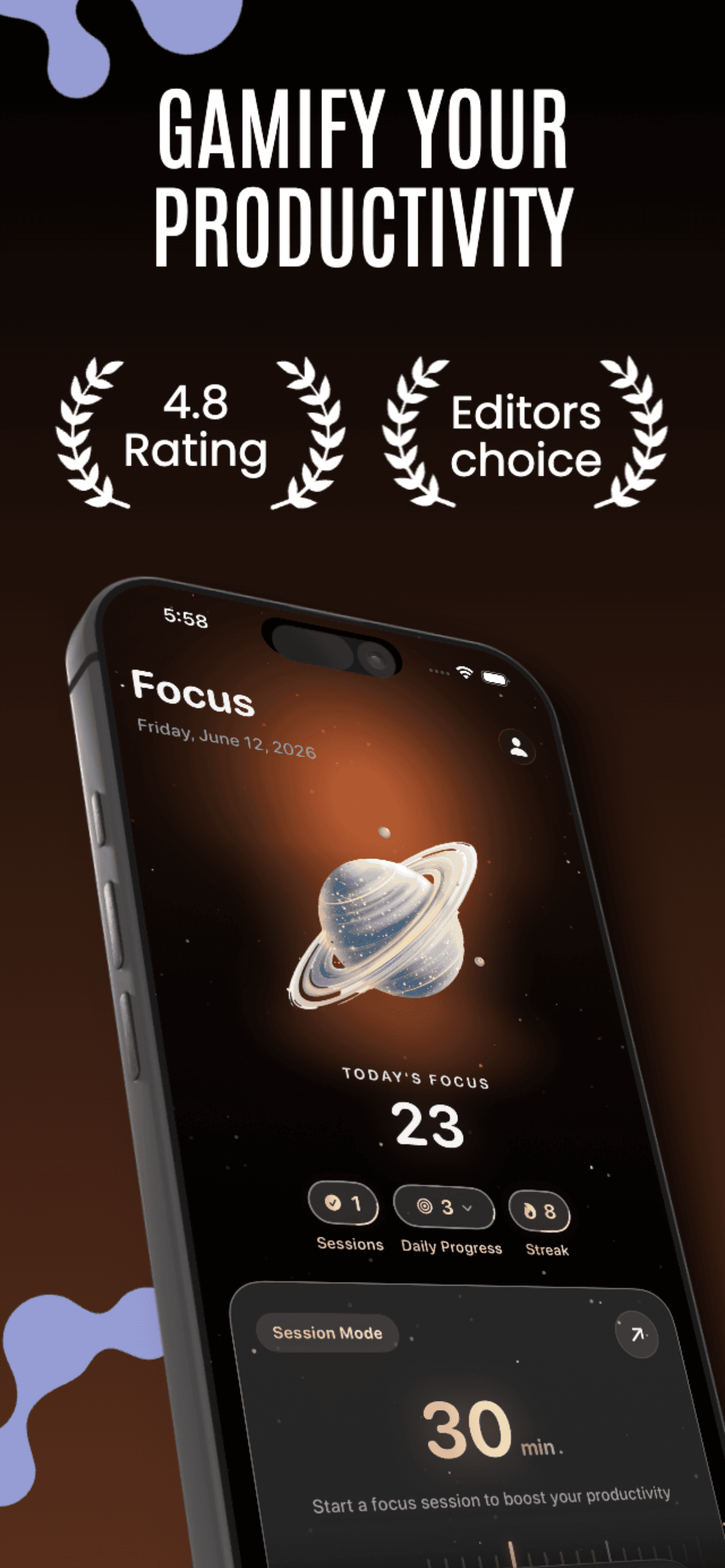
Your score, saved time, and progress at a glance — before the feed gets a say.
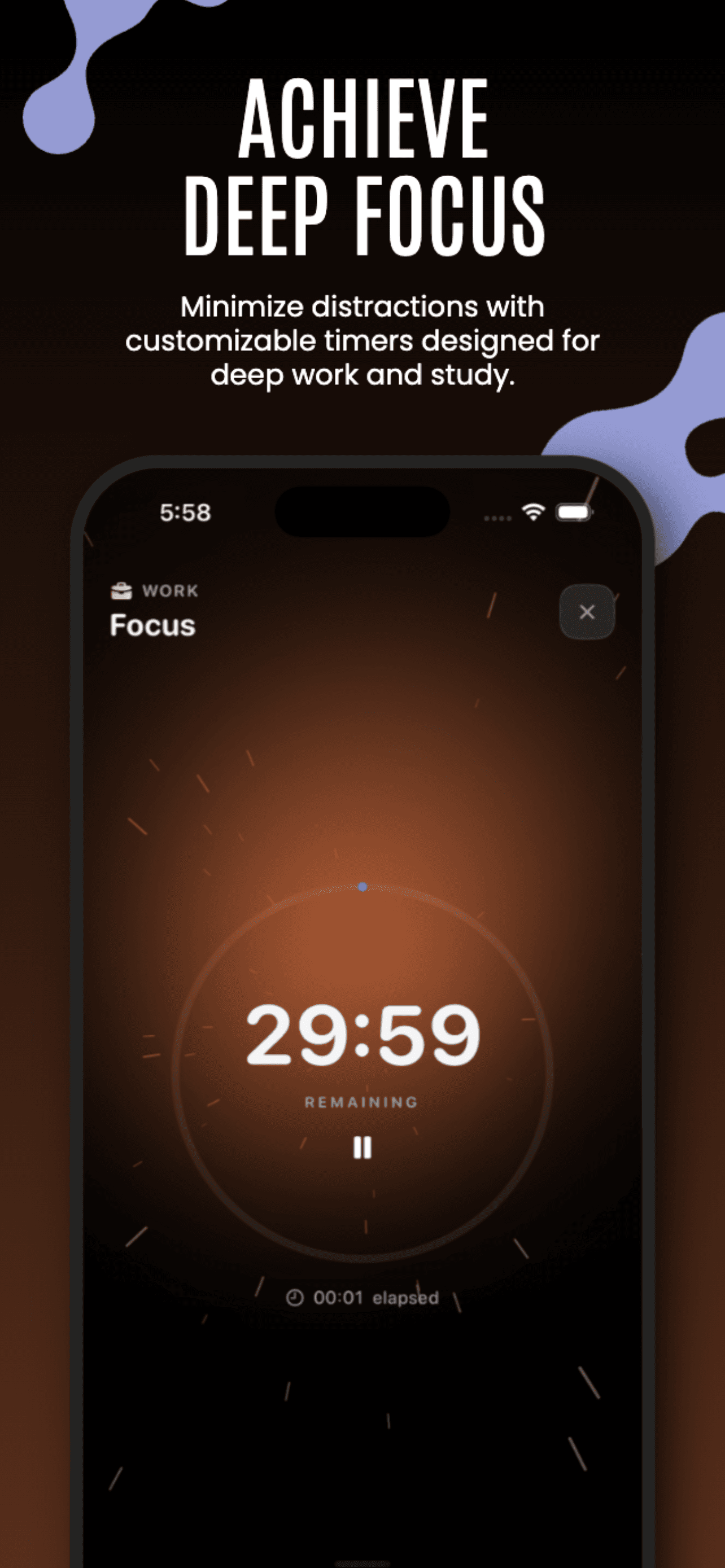
A live timer, clear progress, and no room to drift mid-session.
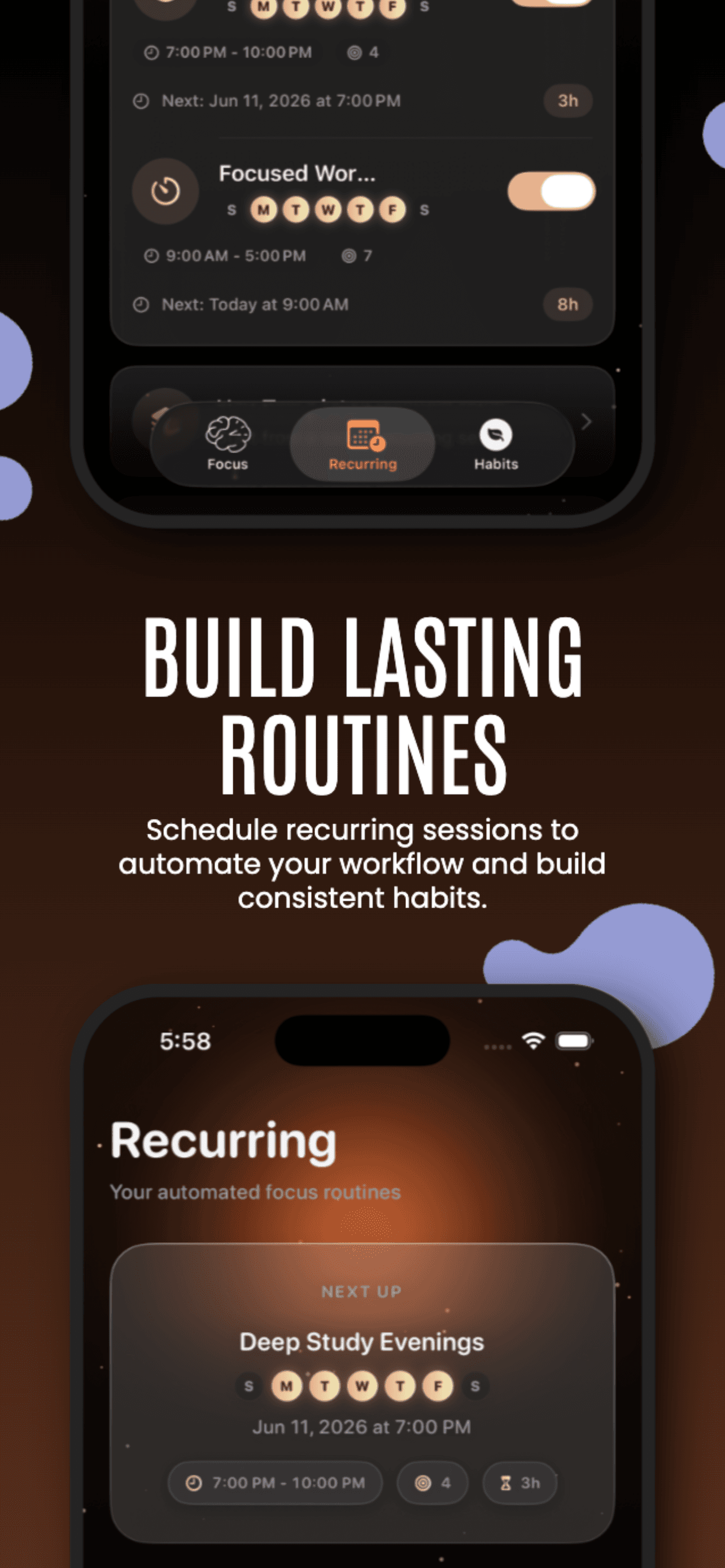
Automate focus blocks for work, study, workouts, or bedtime.
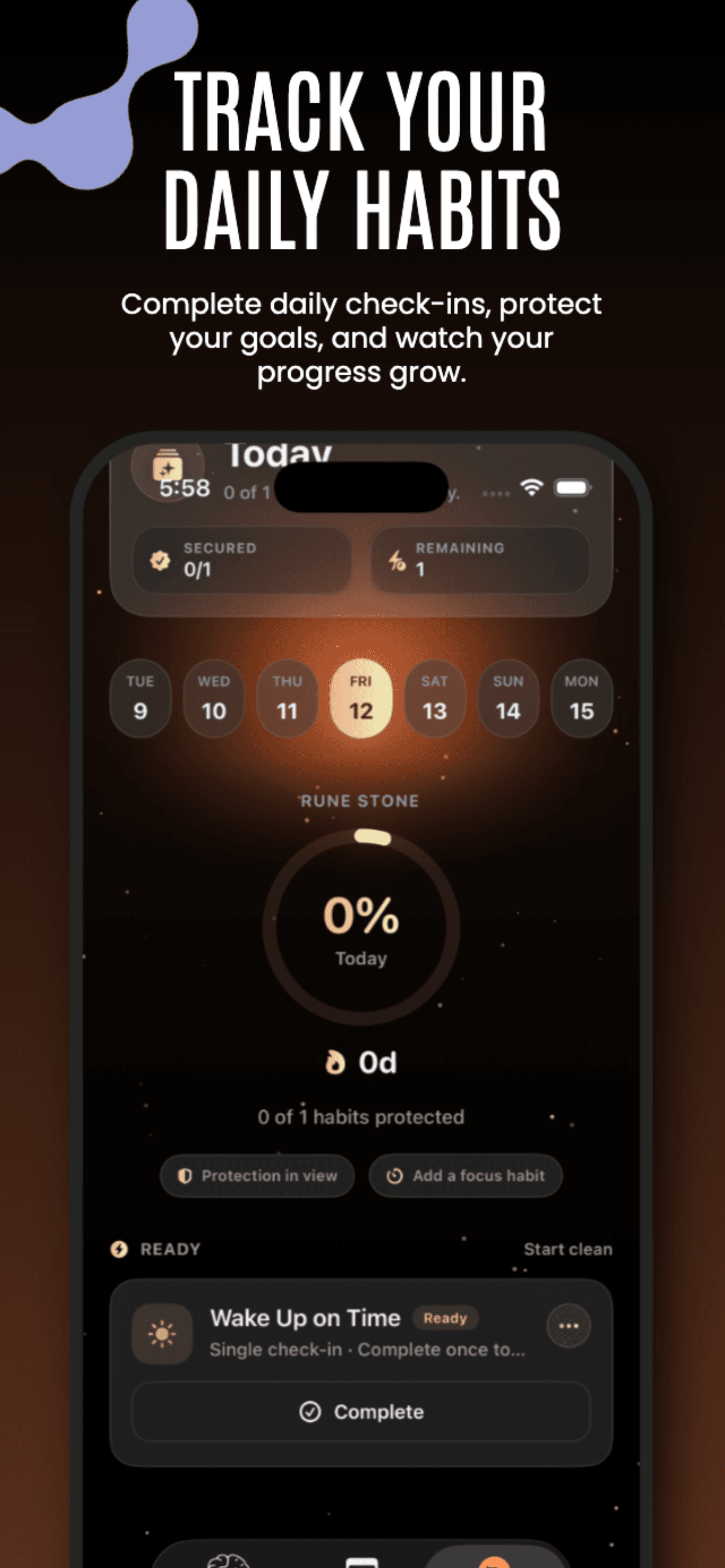
Streaks and habit progress that make focus something you repeat, not restart.
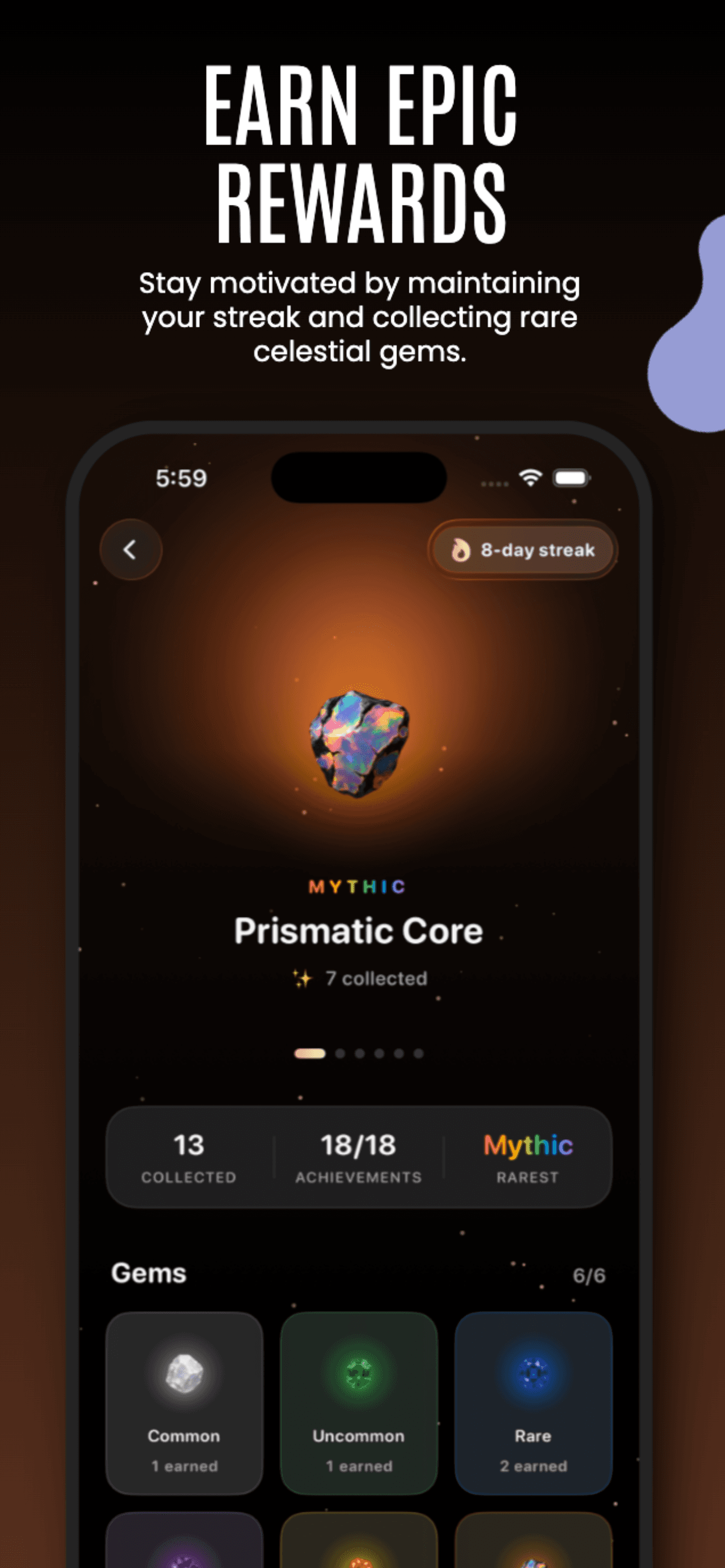
Collect gems and unlock rewards that make discipline feel earned, not endured.
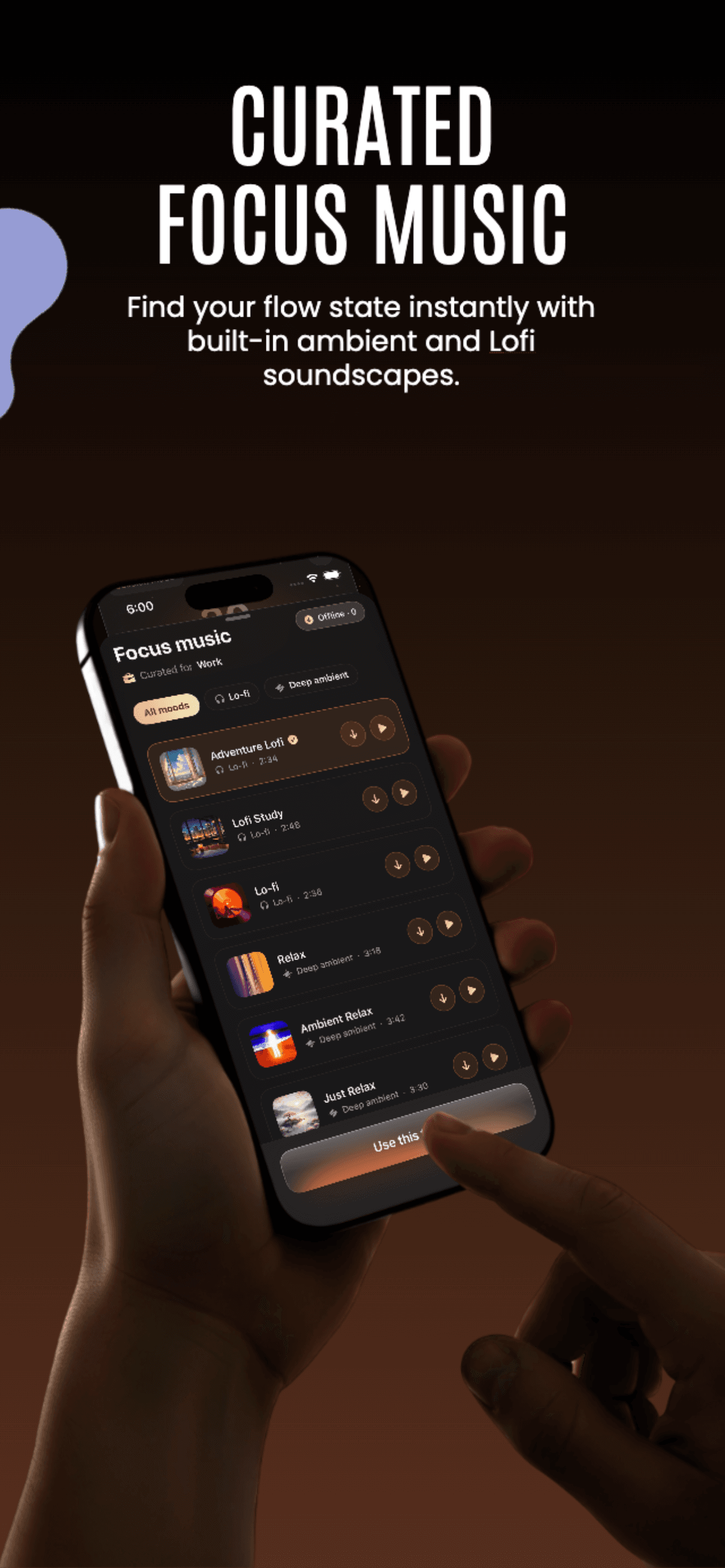
Calm music and ambient sound that make sessions feel intentional.
Start free. Upgrade when you want the full ritual. See FAQ about free vs Premium plans
The core ritual, free forever
Everything Rune can guard
Rune app is a focus and habits tracker for iPhone. It blocks distracting apps during timed focus sessions, tracks streaks and focus scores, and helps you build consistent deep work routines. Download Rune free on the App Store.
Rune is a focus app for iPhone that blocks distracting apps, supports custom focus sessions, and helps you build better habits with rewards and streaks.
Rune is built as an iOS focus app for iPhone. iPad support can vary by release, but the core app blocking and focus session experience is optimized for iPhone.
Rune uses iOS app blocking controls to lock distracting apps during your session. Once you start, Rune keeps social apps blocked until your focus timer ends.
Rune offers a free focus app experience on iPhone with core blocking features, plus a Premium plan for advanced scheduling, analytics, and unlimited sessions.
Unlike basic iOS limits, Rune is designed as a dedicated focus app with stronger accountability, gamified streaks, and more motivating block screens for consistency.
Yes. Rune can block distracting websites on iOS, including common time-wasting destinations in Safari, so your phone stays aligned with your focus goals.
Yes. Rune works on regular iOS devices with no jailbreak needed. Install from the App Store, configure your block list, and start your focus sessions.
Rune helps you stay accountable using focus scores, streaks, and session history. These iPhone focus app metrics make it easier to track progress over time.
Both are iPhone focus apps that block distracting apps. Rune emphasizes gamified streaks, focus scores, and beautiful block screens to keep you consistent. Opal focuses heavily on scheduling and screen-time coaching. See our full comparison for feature-by-feature details. Read Rune vs Opal comparison
Yes. If you want an Opal alternative with strong app blocking, habit streaks, and motivating block screens, Rune is built for iPhone users who need accountability beyond basic screen-time limits. Compare Rune and Opal
The best focus app depends on your goals. Rune blocks Instagram, TikTok, and other social apps during focus sessions with strict iOS controls, streak tracking, and session scheduling. Compare top iPhone focus apps to find the right fit. See best focus apps for iPhone
Thousands of people have taken their time back with Rune. Download free and begin tonight's first session.